When you’ve been in business for nearly 50 years like RCI Business Technology, you witness countless evolutionary phases of business tech innovations in both hardware and software for computers! And with each leap comes the inevitable obsolescence of a previous operating system that was once on the cutting edge. We understand that it’s easy to get comfortable with the aesthetics, icons, and menu layouts of an operating system, but now more than ever it’s important to be running the latest versions of your PC’s respective OS and perform regular computer operating system updates!
The Basics – What Updates Do For Your Devices
We get it- it’s annoying when Microsoft wants to push updates on you, and it seems like they always want to do it at the most inconvenient of times. Thankfully, they’ve become more flexible and allow you schedule updates and the needed restarts for inactive hours, such as in the middle of the night. We often tell customers that when the updates become available, don’t put them off for too long. You should always want to have the latest operating system update offered by the developer.
Some updates bring aesthetic and functional updates to your browser, menus, customization options, and depth of features. Often though, the updates being performed aren’t as visibly evident as others. So what’s the point?
Well, if Microsoft discovers security vulnerabilities, often these updates patch areas hackers could potentially exploit. It’s important to always be one step ahead when it comes to safety.
Those who perform computer operating system updates regularly probably rarely notice bugs, as updates often come with bug fixes. Regular updates also ensure better software and hardware compatibility, because software developers keep their product updated to mesh with the latest in Windows updates.
Plus, many updates are just designed to make life easier. They take a little adjusting at first, but when it comes to streamlining business operations and keeping your digital workspaces organized (ex: individual Workspaces for browsing within Microsoft Edge, reading mode, grouping tabs, and AI integration), updates should be welcome and implemented throughout your business for better efficiency over time!
Windows 11 Computer Operating System Updates
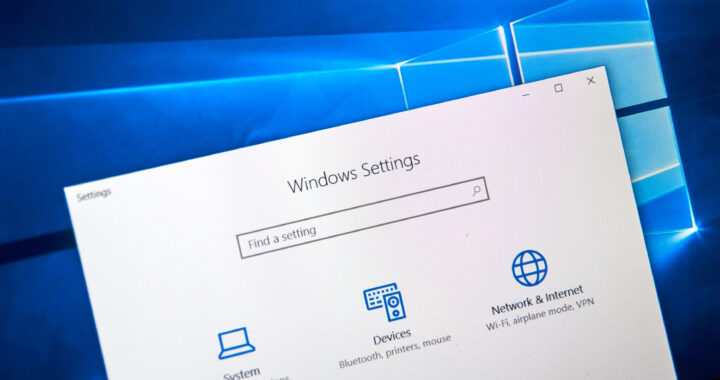
With the Windows 10 end of support coming just next month, there is no time to waste making the jump to Windows 11. Any machines still running Windows 10 after October 14th will no longer receive updates and protection from Microsoft, making them susceptible to a host of problems including security risks like malware, ransomware, and cyberattacks, potential for lost data, compatibility issues with apps and software, and speed/ performance declines.
These points are true whether you’re a consumer or a business, but the importance is greatly heightened in the commercial realm when you consider employee and customer data security, important company files and trade secrets, and for many companies, the entire digital infrastructure is centered around a stable operating system. What is now a stable operating system can quickly cascade into instability for your company and everyone who does business with you.
A major consideration when it comes to computer operating system updates is whether your existing devices can run Windows 11. Microsoft does offer the option of upgrading machines currently running Windows 10 to Windows 11, but with the stipulation that the processor must meet minimum requirements to run the operating system smoothly.
Unfortunately, far fewer devices are eligible for this operating system update as compared to when Windows 10 released and upgrades were offered for Windows 7 and 8.1. Certain elements of your computer can be upgraded to support the software, but we recommend purchasing all new devices as a computer purpose-built for Windows 11 will better serve you long-term, keeping you from revisiting the market so soon.
Of course, there is always hesitancy and skepticism with operating system upgrades, but we believe Windows 11 to be an extremely viable software and by and large, it has polished many of the things amiss in Windows 10, with navigation a breeze and organization of files easier than ever; and appearance-wise, it is undoubtedly the most modern version to date.
What If My Devices Have Anti-virus Software?
This is a question we get a lot. While Windows includes its own antivirus software nowadays, even that will be left unsupported by Microsoft after October 13th. Alternatives such as McAfee and Norton can help, but the operating system update is still necessary as Windows 10 will not be fully protected. The security holes can still be exploited, as antivirus can only detect threats.
Plus, running an outdated system plays into the hands of hackers bypassing defenses as malware, ransomware, and phishing attacks evolve. If you perform a lot of online transactions such as online banking and commerce, the storage of information will become extremely risky and would not fall under protection of Microsoft or your respective antivirus.
If It Ain’t Broke, Fix It Anyways!
Even if an older release of Windows doesn’t appear broken, looks can be deceiving! A seemingly innocent computer that’s unsupported has the ability to wreak all sorts of havoc. We encourage regular computer operating system updates no matter what computer brand or version you use. Don’t leave your company’s future in the balance. Get on board with the latest for the stability and peace of mind you need!