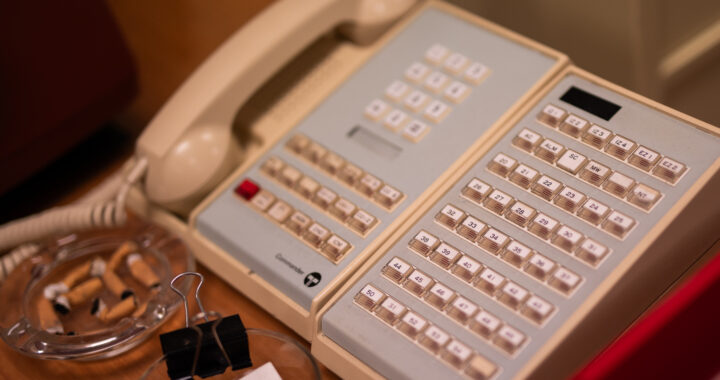
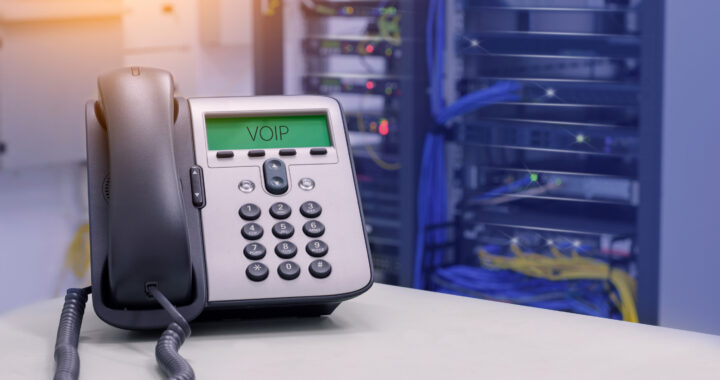
The announcement of desk phones’ death has been greatly exaggerated. Technology doomsayers have been predicting the death of desk phones since at least the time when cell phones became popular in the 90s. The bell tolled again when VOIP came around and bring your own device became an option. Yet, the desk phone continue to be a vital part of the business telephone ecosystem.
Why do desk phones have such an enduring appeal, even with all the other pieces of technology that are currently available? Today, RCI dives into why most of our clients still prefer deathphones and aren’t in any hurry to give them up.
It’s Not Just Nostalgia – Desk Phone Benefits
For some young people entering the business world, continuing to use desk phones may seem like clinging to past nostalgia or an inability to move forward. However, for anyone who has spent time using desk phones for business and compared them to cell phones or apps, it’s clear that it’s more than that.
Desk phones’ solid dependability, ease of use, and rich feature set make them a valuable piece of office communication, even with all of today’s alternatives.
Ease of Use
Let’s begin with ease of use. Anyone who has ever tried to transfer a call from a cell phone knows it doesn’t always go smoothly.
Desk phones are designed to work in a collaborative environment, so every business telephone system includes basic features like call transfer, hold, and paging in every iteration.
On a cell, you may need to go to a whole new screen and then find the person you’d like to transfer a call to. On a deskphone, you have a call transfer button and a built-in directory, and you may even have specific buttons to press for each person you regularly communicate with.
Desk phones are also excellent for quick questions and check-ins with someone down the hall. You don’t need to take the time to text or walk across the building to ask someone what time they’re taking lunch or when to expect a particular project that day.
Dependability
Though it’s self-evident that desk phones aren’t indestructible or perfect (otherwise people wouldn’t need maintenance agreements!), they are more dependable than many other pieces of modern technology.
Because of their stationary nature, people are less likely to drop a desk phone or damage it. They also don’t cut in and out or get into areas where they’re unusable, like a cell phone.
Most desk phones last a long time. We still have phone systems in place that are four decades old! While most customers probably will replace a phone system more than twice in a century, it’s nice to know that you don’t have to.
Modern business phone systems generally allow you to update desk phone software to give it the newest features.
Desk Phone Features
Though we don’t think of features with office telephones as much as our smartphones, modern business telephone systems come standard with a rich feature set and other programmable options.
Basic Features
We’ve already touched on some of the basic features that come standard with most modern telephone systems, but let’s get into a few of the things you can expect from the touch of a button and why they matter.
Paging: Paging allows you to directly reach a specific desk without having to wait for the person to answer the phone. Many people use it for those “quick questions” we discussed. It’s not perfect for every environment, but that’s easily remedied with the do-not-disturb button when necessary.
Group Paging: Group paging helps you reach large groups or find someone in the building whose location you don’t yet know. It’s very convenient!
Do Not Disturb (DND): When you’re doing deep work that requires concentration, just hit the DND key on your deskphone and get focused.
Transfer: Call transfer is the most effective way to assist a customer with minimal fuss and irritation. It is far more professional to hand off a call than to ask someone to call another number! And we all want ot keep our clients happy.
Programmable Buttons
Programmable buttons are there for quick access to tasks you perform frequently. Some of the most common uses for programmable buttons are speed dial for outside lines or paging directly to internal numbers. However, you can also use them for telephone features that a particular employee or department often uses.
Other Basics
Other basic telephone features that are just easier to use on a desk phone include hold, speaker, and transfer. The controls are easier to toggle and more intuitive with physical buttons, meaning “fat fingering it” as John Whittcomb likes to say, is less likely.
Call Recording
One of the best things that VOIP phones brought to the mainstream is always-on call recording. There are few tools as useful for quality control and accountability as call recording.
What About BYOD and Cell Phones?
We’re not advocating for the shunning of soft phones. There are many reasons to have a soft phone on your smartphone, tablet, or computer, but there is also a place where a good old-fashioned desk phone shines.
Where feasible, many office workers like to have both so they can use what works best for their particular situation in the moment, and luckily, modern telephone systems accommodate that!
If you’re wondering what would be best for you and your company, RCI has decades of experience asking the right questions to design and program a phone system that suits your company’s needs.
Let us help you get the best of what modern telephony has to offer your SWVA business!