For many businesses across the Roanoke Valley, late summer presents a brief, yet welcome shift in pace. Schedules loosen up a bit, client requests slow to a steady drip, and you finally get a moment to catch your breath. We know it’s tempting to view these quieter weeks as a time to put operations on cruise control. However, when the summer lull is used as a time to cross items off your ever-growing office tech checklist, it becomes the ultimate secret weapon for preparing your company for the hectic surge of the fourth quarter.
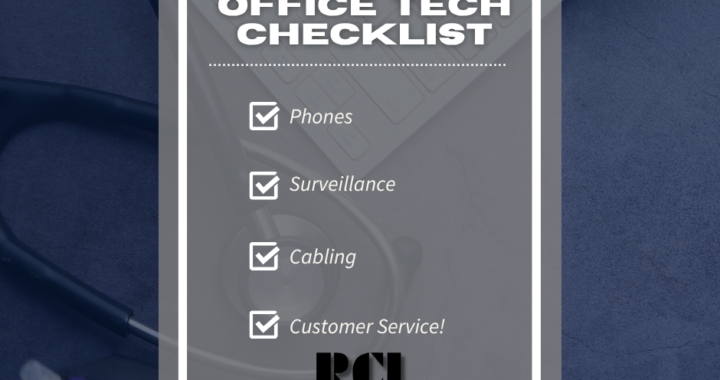
When September rolls around and local commerce ramps back up, the last thing your team needs is a sudden technological failure. Scrambling to fix dropped phone calls, glitchy security footage, or a sluggish server right when client deadlines are on the horizon is a nightmare that can easily be avoided. By reviewing RCI’s simple office tech checklist now, you can audit, clean up, and optimize your systems c before the high-stakes busy season arrives.
The Danger of Waiting Until Q4
When business is moving at top speed during the fall and winter months, tech glitches are no longer just minor annoyances; they become costly roadblocks. Think of missed quotes, orders failing to materialize, and potentially lost clients. If your network crashes during a major end-of-year sales push or your phone lines go down during peak operational hours, the impact is felt directly on your bottom line.
As many business owners and decision-makers come to realize this time of year, tech issues rarely resolve themselves. The subtle glitches you tolerated over the summer will only be amplified under heavy workload demands, and what may have flown off the radar before will rapidly become a glaring problem. Evaluating your Q4 business technology in August or early September gives you the leeway needed to make repairs, upgrade aging hardware, and train your staff without interrupting your primary revenue stream. You should consider all of these as part of your office tech checklist.
Running Through Your Pre-Q4 Evaluation
You don’t need to know rocket science to perform a preliminary audit of your workspace. Running through a practical office tech checklist simply comes down to checking your primary systems before your customers do.
It’s far less stressful to know you caught a problem before it leaked out beyond the proverbial walls of your company. You can start with your communication flow by placing a quick test call to your main line after hours to ensure your auto-attendant greeting is accurate and routing calls correctly. If your team relies on modern cloud phones, this is also the ideal time to verify that mobile apps and forwarding rules are working smoothly on employee smartphones.
For offices still utilizing on-site phone systems (something Virginia IT services companies like RCI are proud to continue to service), checking physical connections now can save you from a sudden, unexpected outage right in the middle of a big week.
From there, your attention should be turned to facility protection and network health behind the scenes. Summer heat, dust, and spiderwebs can severely obscure outdoor camera lenses, so a quick physical check ensures your surveillance feeds stay crisp. At the same time, verifying that your storage hardware/software is actively archiving video prevents you from discovering you maxed it out only after an incident occurs. Finally, take a quick look into your server room to make sure airflow isn’t being blocked by a tangled web of cables, and run a bandwidth test during peak hours to ensure your internal hardware is actually delivering the speeds required to keep day-to-day operations flowing as they should.
Proactive Business IT Readiness Equals Peace of Mind
Achieving true business IT readiness is not about buying every new gadget on the market (then you just give yourself countless learning curves). It is about creating a stable, interconnected environment where your technology works quietly in the background so your team can focus on core competencies.
When your computers, phone lines, and security cameras are managed as a single ecosystem, the risk of unexpected downtime is dramatically reduced. Taking care of your office tech checklist with minor equipment replacements or software updates during a planned maintenance window is far less expensive than paying for emergency service calls in the middle of November.
Your Technology Partner Across Virginia
At RCI, we’ve spent decades helping companies navigate seasonal shifts with reliable IT services Virginia businesses can trust. We know that every facility in Roanoke, Salem, and beyond has its own unique quirks and technical needs. Whether you need a quick system checkup, help straightening out a messy cable rack, or a complete phone system upgrade before the autumn rush (with local training included!), our experienced team is here to handle the logistics.
Don’t let outdated technology throw a wrench in your fourth-quarter goals. Let’s sit down, review your setup, and make sure your business is ready to hit the ground running this fall!